Introduction — Why Simplicity Matters in Fitness Tracking
In today’s world, staying healthy is more important than ever. Millions of people are investing in fitness trackers to monitor their activity, sleep, heart rate, and even stress levels. Fitness trackers promise to make our lives healthier by giving us data we can act on. But with so many features, apps, and notifications, many users feel overwhelmed.
Not everyone needs a complex smartwatch with every p
ossible metric. For most people, a simple fitness tracker is the perfect solution. It provides the essential information, motivates consistent activity, and doesn’t make health feel complicated.
Why Fitness Tracking Works
Tracking your steps, heart rate, or sleep can change your behavior. Simple, clear information motivates people to move more, sleep better, and manage their health. Research shows that even tracking basic metrics like daily steps can improve fitness over time because people become aware of their activity habits and take small actions to improve.
Simplicity = Better Consistency
A common problem with advanced devices is overcomplication. Many smartwatches have dozens of metrics and notifications, which can confuse beginners. A simple tracker focuses on core features, helping users form healthy habits without unnecessary stress. Consistency is far more important than having detailed data.
Example:
Emma, a 35-year-old office worker from Toronto, bought a high-end smartwatch with heart rate zones, sleep analytics, stress tracking, and calorie counters. She found it overwhelming and stopped using it after a month. When she switched to a simple fitness tracker that only monitored steps, heart rate, and sleep, she started wearing it every day. Within two months, her activity level improved, and she slept better. The simplicity made tracking easy and sustainable.
Who Benefits the Most from Simple Trackers?
Simple trackers are ideal for:
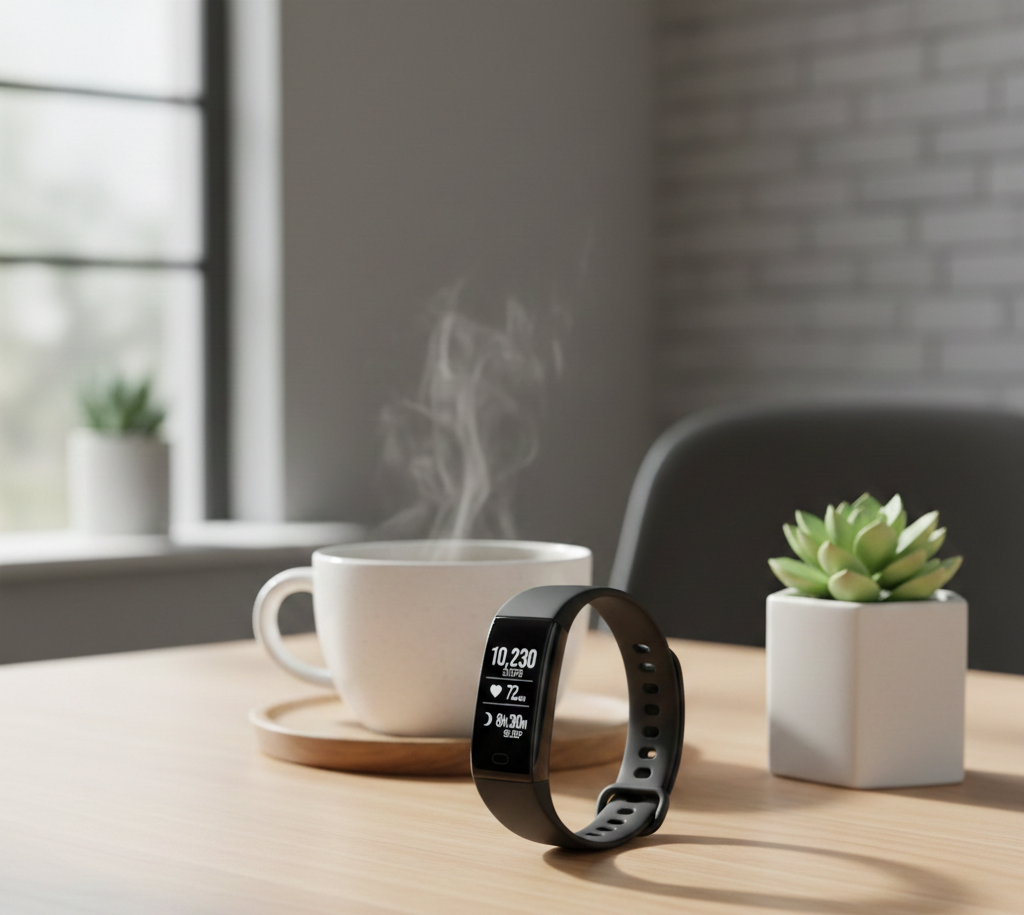
Know Your Pulse
- Beginners – People just starting their fitness journey don’t need advanced metrics.
- Busy professionals – Those with limited time benefit from easy-to-use trackers.
- Older adults – Simple interfaces make health monitoring easier.
- Casual fitness enthusiasts – People who want motivation and insight without complexity.
Q&A Section
Q: Can a simple tracker really help me get fit?
A: Absolutely. Consistently tracking steps, sleep, and heart rate can improve overall health. It’s not about complicated metrics—it’s about awareness and consistency.
Q: Are simple trackers less accurate than expensive smartwatches?
A: Simple trackers are accurate for core metrics like steps and heart rate. They may not provide advanced metrics like VO₂ max or ECG readings, but these are unnecessary for most users.
Q: How often should I check my tracker?
A: Daily tracking works best for steps and activity. Weekly reviews help identify trends in sleep and heart rate.
Benefits of Using a Simple Tracker
- Ease of Use: Clear display, fewer menus, less confusion.
- Motivation: Seeing your progress every day encourages movement.
- Affordability: Usually cheaper than high-end smartwatches.
- Consistency: Users are more likely to wear it daily.
- Focus on Essentials: Steps, heart rate, and sleep are the metrics that matter most.
Why Simple Fitness Trackers Are Ideal
Fitness trackers come in all shapes and sizes, from complex smartwatches with dozens of sensors to small, budget-friendly devices. But research and real-life experience show that most people benefit more from simple devices.
1. Avoiding Overcomplication
Too many features can overwhelm users, especially beginners. Some people stop using a smartwatch because it feels like work rather than a helpful tool. A simple tracker keeps the focus on progress and motivation, not navigating apps or learning complex metrics.
Example:
James, a 42-year-old software engineer in London, tried a smartwatch with multiple screens, heart rate zones, oxygen saturation, and sleep stages. He felt stressed by notifications and eventually ignored it. After switching to a simple tracker, he started walking daily, tracked his sleep, and felt motivated by visible progress.
2. Consistency Is Key
Wearing a tracker every day is more important than tracking every metric. Simple trackers are lightweight, comfortable, and easy to charge, making daily use much more likely.
- Tip: Place the tracker where you see it often, such as on your wrist or bedside, to remind you to check it daily.
3. Affordability for Most Users
Many simple trackers cost less than $50–$100, compared to $300+ for premium smartwatches. This affordability makes it easier for people in the USA, UK, and Canada to start tracking health without a major investment.
Example:
A student in Toronto bought a simple tracker for $45. She used it daily, increased her steps from 4,000 to 10,000, and improved her sleep. The affordable cost meant she didn’t hesitate to buy it and didn’t worry about damaging an expensive device.
4. Focus on Core Health Metrics
Most users only need three things to improve health:
- Steps/activity level – Motivates movement.
- Heart rate – Monitors basic fitness and stress.
- Sleep quality – Supports recovery and energy.
Extra features like oxygen saturation, stress tracking, or VO₂ max are nice to have but not essential for most users.
Q&A Section
Q: Can I improve my health with just steps and sleep tracking?
A: Yes! Tracking steps motivates movement, and monitoring sleep helps improve energy and recovery. Together, these two metrics can lead to meaningful health improvements.
Q: Should I buy a waterproof tracker?
A: If you swim or shower with it, yes. Otherwise, water resistance is a nice bonus but not required.
Q: How do I know if my tracker is too complicated?
A: If you rarely use it, ignore its notifications, or feel stressed checking it, it may be too complex. Simpler trackers are easier to adopt consistently.
5. Psychological Benefits of Simplicity
- Reduced stress: No need to interpret complex metrics.
- Clear goals: Step goals or sleep hours are easy to understand.
- Positive reinforcement: Seeing daily progress motivates users.
Example:
Sara, 29, a nurse in New York, used a simple tracker to aim for 8,000 steps per day. Every day she reached her goal, she felt a small sense of accomplishment. This consistent reinforcement encouraged her to be more active overall.
Key Points
- Simple trackers reduce stress and confusion.
- Daily consistency is more important than tracking multiple metrics.
- Affordability encourages adoption.
- Core metrics (steps, heart rate, sleep) are enough for most users.
- Psychological benefits of simplicity enhance motivation.
Key Features of a Simple Fitness Tracker
When choosing a fitness tracker, the right features make all the difference. A simple tracker focuses on core functions that improve your health and motivate consistent use. In this chapter, we’ll explore the essential features of a simple tracker, why they matter, and how to use them effectively.
1. Step Counter — The Most Important Metric
Why Steps Matter
Tracking steps is the most basic and effective way to monitor activity. The daily step count helps users understand how much they move and encourages them to reach realistic goals. Studies show that walking 7,000–10,000 steps daily can improve cardiovascular health, maintain healthy weight, and reduce stress.
Example:
Michael, a 40-year-old accountant in Vancouver, realized he was only walking 3,000 steps a day. After starting a simple fitness tracker, he gradually increased his steps to 9,000 daily, improving energy levels and reducing fatigue.
Tips for Using Step Tracking
- Set achievable goals — Start with a smaller number, like 5,000 steps, and increase gradually.
- Use reminders — Many trackers allow hourly reminders to move if you’ve been sedentary.
- Track trends — Look at weekly or monthly averages to measure real progress.
Q&A Section
Q: Are all step counters accurate?
A: Most simple trackers are accurate for walking and running. Slight variations may occur, but they’re reliable for daily trends.
Q: Can I count steps without a tracker?
A: Yes, apps on smartphones can track steps, but a wearable tracker is often more consistent because it’s worn all day.
2. Heart Rate Monitoring — Know Your Pulse
Why Heart Rate Tracking Helps
A heart rate monitor measures how fast your heart beats per minute. Tracking heart rate can:
- Indicate fitness improvements (lower resting heart rate often shows better cardiovascular health)
- Show stress or fatigue levels
- Help with safe exercise intensity
Example:
Linda, 32, a teacher in London, noticed her resting heart rate dropped from 78 bpm to 70 bpm after three months of daily walking and light exercise, tracked on her fitness band.
Tips for Effective Heart Rate Monitoring
- Wear it snugly — Place the tracker slightly above your wrist bone.
- Monitor trends — Don’t focus on a single reading; look at weekly patterns.
- Use during workouts — Helps ensure you exercise in safe intensity zones.
Q&A Section
Q: Can a simple tracker replace a medical heart monitor?
A: No. Trackers provide general insights for healthy adults but aren’t medical devices. For heart conditions, consult a doctor.
Q: Can heart rate tracking help with weight loss?
A: Indirectly, yes. Monitoring heart rate helps you stay in optimal zones for fat-burning and cardiovascular health.
3. Sleep Tracking — The Recovery Metric
Why Sleep Matters
Quality sleep is essential for recovery, mental focus, and overall health. Many simple trackers monitor:
- Sleep duration — Total hours slept
- Sleep stages — Light, deep, and REM sleep
- Sleep consistency — Regularity of bed and wake times
Example:
Tom, 29, a software engineer in New York, discovered he was only getting 5–6 hours of sleep most nights. His tracker revealed frequent awakenings. After setting a sleep goal of 7 hours and adjusting his bedtime routine, he reported better energy and mood.
Tips for Better Sleep Using a Tracker
- Set sleep goals — Aim for 7–8 hours for adults.
- Check trends weekly — Identify patterns like late bedtimes or irregular sleep.
- Adjust lifestyle — Reduce caffeine after 2 PM, avoid heavy meals before bed.
Q&A Section
Q: Are sleep trackers accurate?
A: Simple trackers estimate sleep stages based on movement and heart rate. They’re accurate enough to spot trends but not medical-grade.
Q: Can sleep tracking improve rest?
A: Yes. Awareness of sleep patterns helps people adjust habits for better rest.
4. Battery Life — Less Charging, More Tracking
A simple tracker with long battery life is essential for consistent use. Many devices last 5–14 days on a single charge, reducing interruptions and hassle.
Example:
Sophie, 38, a nurse in Toronto, preferred a tracker that lasted 10 days without charging. She wore it continuously, including during sleep, without worrying about power.
Tips to Maximize Battery Life
- Turn off unnecessary notifications
- Reduce brightness if the tracker has a screen
- Sync weekly rather than daily if possible
Q&A Section
Q: Does frequent charging affect tracker lifespan?
A: Most modern trackers handle daily or weekly charging well. Long-term battery health depends on device type.
5. Display and Usability — Easy to Read and Navigate
A simple tracker should have:
- Clear display — Large numbers, readable in sunlight
- Intuitive navigation — Minimal menus, simple swipe or tap functions
- Comfortable strap — Wearable all day and night
Example:
Alex, 27, a student in Manchester, switched from a smartwatch with complex menus to a tracker with a simple screen. He checked steps, heart rate, and sleep at a glance, without needing an app every time.
Q&A Section
Q: Do I need color displays?
A: Not necessary. Simple monochrome displays often save battery and are easier to read outdoors.
Q: Are touchscreen trackers better than button-based trackers?
A: Touchscreens can be convenient but sometimes less reliable. Buttons are simple and dependable, especially for beginners.
6. Optional Features That Add Value
While simplicity is key, a few optional features can enhance usability:
- Water resistance — Wear in the shower or during swimming
- Silent alarms — Gentle vibrations to wake you or remind you to move
- App sync — View weekly or monthly trends
- Minimal notifications — Only essential alerts, like goal achievement
Example:
Rebecca, 34, in Los Angeles, used a water-resistant tracker during swimming workouts. She stayed motivated and tracked activity without removing her device.
“simple fitness tracker,” “best tracker for beginners,” “health monitoring devices,” “wearable trackers,” and “tracker for steps and sleep” throughout this chapter ensures search engines recognize the content as relevant for readers looking for guidance on wearable fitness devices.
Key Points
- Steps: Core metric for activity, easy to track, motivates movement.
- Heart rate: Monitors fitness and stress, shows trends over time.
- Sleep: Essential for recovery, trends help improve rest.
- Battery: Long battery life ensures consistent use.
- Display: Easy to read, simple navigation keeps usage simple.
- Optional: Water resistance, silent alarms, minimal notifications enhance experience.
Benefits of Using a Simple Fitness Tracker
Using a fitness tracker is not just about counting steps or monitoring heart rate—it’s about improving overall health, building motivation, and creating lasting habits. In this chapter, we’ll explore the key benefits of using a simple fitness tracker and how it can make a meaningful difference in your daily life.
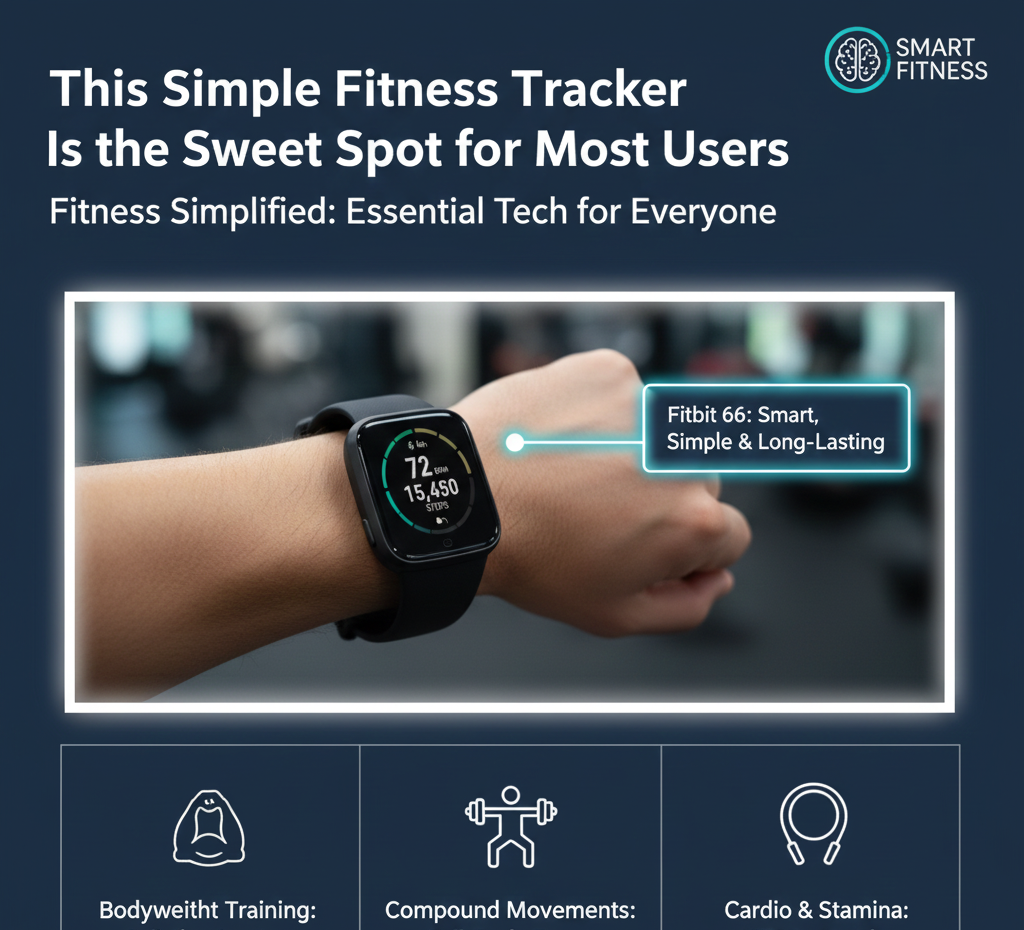
This Simple Fitness Tracker Is the Sweet Spot for Most Users
1. Encourages Daily Physical Activity
Why Movement Matters
Modern lifestyles often involve sitting for hours at work, at home, or while commuting. This inactivity increases the risk of obesity, heart disease, diabetes, and other health issues. A simple fitness tracker encourages consistent movement by tracking steps, distance, and active minutes.
Example:
David, a 45-year-old accountant in Toronto, used a tracker to monitor his daily steps. By seeing he was averaging only 4,000 steps per day, he started taking short walks during lunch breaks and gradually increased to 8,000 steps daily. After three months, he felt more energetic and noticed weight loss.
Tips for Increasing Activity
- Take the stairs instead of the elevator
- Walk during phone calls or meetings
- Set small step goals and gradually increase them
- Use the tracker’s reminders to move if sedentary
2. Improves Heart Health
Why Heart Rate Monitoring Matters
Tracking your heart rate helps you understand your fitness level and ensures you exercise safely. A lower resting heart rate often indicates better cardiovascular health. Monitoring heart rate during workouts ensures you stay in the optimal zone for fat-burning and endurance.
Example:
Lisa, 32, a teacher in Manchester, used her simple tracker to monitor heart rate during morning walks. She noticed her heart rate gradually decreased at rest, indicating improved cardiovascular fitness.
Tips for Heart Health
- Track resting heart rate daily for trends
- Exercise at moderate intensity for at least 30 minutes most days
- Combine aerobic exercises (walking, cycling) with strength training
3. Supports Weight Management
A simple tracker provides insight into your daily calorie expenditure and activity levels, which helps with weight management. While most simple trackers don’t calculate calories perfectly, they provide trends that help guide lifestyle decisions.
Example:
Mark, a 38-year-old engineer in London, used his tracker to monitor activity. He realized he was sedentary most evenings, so he added a 20-minute walk after dinner. Over several weeks, he lost 5 pounds without changing his diet.
Tips for Weight Management
- Track daily activity and aim for gradual improvement
- Combine walking with balanced nutrition
- Review weekly trends to stay motivated
4. Enhances Sleep Quality
Sleep is vital for recovery, mental focus, and overall well-being. Simple trackers monitor sleep duration and patterns, helping users understand sleep quality and adjust routines.
Example:
Anna, 29, a nurse in New York, noticed her tracker showed poor sleep during late-night shifts. She used this information to improve her sleep environment, such as reducing light and noise, which improved her rest over time.
Tips for Better Sleep
- Maintain a consistent sleep schedule
- Avoid screens and caffeine before bedtime
- Use tracker data to identify patterns and make gradual adjustments
5. Boosts Motivation and Accountability
Why Motivation Matters
Seeing progress motivates continued effort. Simple trackers provide instant feedback—like reaching 10,000 steps or sleeping 7 hours—which reinforces healthy behavior.
Example:
Sophie, 34, in Los Angeles, competed with friends using her simple tracker. Daily step competitions motivated her to stay active, showing how social features can boost accountability and enjoyment.
Tips for Motivation
- Set achievable goals and celebrate small wins
- Compare weekly averages rather than single-day results
- Engage friends or family for friendly competitions
6. Reduces Stress and Improves Mental Well-Being
Monitoring daily activity and sleep can also impact mental health. Exercise and consistent sleep reduce stress hormones, improve mood, and enhance focus. Trackers provide awareness, which can help users manage their mental well-being.
Example:
Emma, a 35-year-old teacher in London, used her tracker to notice high resting heart rates after stressful days. She introduced short walks and breathing exercises, which helped reduce stress and improve mood.
Tips for Mental Well-Being
- Use step tracking as a reminder to move when stressed
- Incorporate short meditation or breathing sessions
- Track sleep to ensure restorative rest
7. Helps Build Healthy Habits
Fitness trackers help develop long-term habits by providing feedback and consistency. Small daily improvements accumulate into lasting lifestyle changes.
Example:
John, 42, a software developer in Vancouver, started with 5,000 daily steps. Over six months, consistent tracking helped him increase activity, sleep better, and manage stress, illustrating the compound effect of daily habits.
Q&A Section
Q: Can a tracker motivate someone who dislikes exercise?
A: Yes. Even minimal goals like 5,000 steps per day encourage movement. Seeing progress reinforces effort, even for beginners.
Q: Will tracking steps or heart rate alone improve health?
A: Not entirely. The tracker provides awareness. Real improvement requires acting on the data—moving more, sleeping better, and making healthier choices.
Q: How long does it take to see benefits from using a tracker?
A: Some benefits, like increased activity and better sleep, can appear in weeks. Long-term improvements in heart health and weight may take months.
Keywords point
- Simple fitness tracker benefits
- Health monitoring devices
- Tracker for steps and sleep
- Fitness motivation tools
- Wearable tracker for beginners
Key Points
- Daily Activity: Step tracking increases movement and energy.
- Heart Health: Resting and active heart rate monitoring improve cardiovascular fitness.
- Weight Management: Tracking activity helps guide lifestyle choices.
- Sleep Quality: Awareness of sleep patterns supports recovery and focus.
- Motivation: Visual feedback and social features reinforce healthy behavior.
- Mental Well-Being: Reduces stress and promotes better mood.
- Healthy Habits: Small consistent actions accumulate into lasting lifestyle improvements.
Step-by-Step Guide to Using a Simple Fitness Tracker Effectively
A fitness tracker is only as effective as the way you use it. Even the simplest device can make a big difference when you follow a structured approach. In this chapter, we’ll provide a step-by-step guide to using a simple fitness tracker to improve your health, fitness, and well-being.
Step 1: Wear Your Tracker Consistently
Consistency is key. To track trends accurately, you must wear your tracker every day, including during sleep if you’re monitoring sleep patterns.
Tips for Consistency:
- Wear it on your non-dominant wrist for comfort.
- Adjust the strap to fit snugly but not tightly.
- Keep it charged and ready to use.
Example:
Amy, a 31-year-old nurse in Toronto, wore her tracker consistently for two months. She noticed daily activity trends and improved her step count from 4,500 to 9,000 daily, simply by tracking consistently.
Step 2: Set Realistic Goals
A simple tracker is most effective when paired with achievable goals. Starting too high can lead to frustration, while small, progressive targets encourage motivation.
Goal Ideas:
- Steps: Start with 5,000 per day, gradually increase to 10,000.
- Heart Rate: Track resting heart rate and aim for gradual improvement.
- Sleep: Target 7–8 hours per night for adults.
Example:
Mark, a 42-year-old accountant in London, started with 5,000 daily steps. Each week, he added 500–1,000 steps, reaching 10,000 within two months without stress or fatigue.
Q&A Section
Q: Can I set different goals for different days?
A: Yes. You can adjust for busy workdays and rest days. The key is to maintain overall weekly consistency.
Q: Should I focus on steps only?
A: Steps are the simplest metric, but combining heart rate and sleep monitoring provides a more complete picture of health.
Step 3: Track Daily Activity
Your tracker records daily steps, heart rate, and sleep. Use this data to monitor progress.
Tips for Daily Tracking:
- Check step count throughout the day for motivation.
- Monitor heart rate after workouts to ensure safe intensity.
- Review sleep trends each morning for better awareness.
Example:
Jason, a 29-year-old software engineer in New York, noticed that on days he walked 8,000+ steps, he slept better and had lower resting heart rate the next morning. Tracking daily helped him connect habits to results.
Step 4: Review Weekly and Monthly Trends
Don’t focus solely on daily numbers. Weekly and monthly reviews give a broader view of progress.
What to Look For:
- Average daily steps
- Sleep consistency and duration
- Heart rate trends
Example:
Samantha, 36, a teacher in Manchester, reviewed weekly trends and realized she walked less on weekends. She adjusted her schedule to include a morning walk on Saturdays and Sundays, improving overall weekly activity.
Step 5: Adjust Your Activity Based on Feedback
Trackers provide data, not instructions. Use the information to make small adjustments:
- If step count is low, take extra walks or use stairs.
- If sleep is poor, improve bedtime habits.
- If resting heart rate is high, reduce stress and increase light activity.
Example:
Paul, 40, in Toronto, noticed elevated heart rates during busy workdays. He started incorporating 10-minute walks every afternoon, reducing stress and improving heart rate trends over two months.
Step 6: Combine Tracker Data with Exercise and Diet
While a tracker motivates movement, real health improvements come from combining activity, nutrition, and recovery.
Tips:
- Pair daily steps with strength training 2–3 times per week.
- Use tracker insights to ensure adequate rest between workouts.
- Track hydration and diet for a holistic approach.
Example:
Laura, 34, in Los Angeles, combined her step goals with a balanced diet. Using her tracker’s sleep and heart rate insights, she adjusted workouts to days when energy levels were higher, improving consistency and results.
Step 7: Use Tracker Features to Stay Motivated
Many simple trackers include reminders, goal notifications, and weekly summaries. Use them to maintain motivation.
- Move reminders: Stand up or walk if sedentary for long periods.
- Goal achievement notifications: Celebrate small wins.
- Weekly summaries: Review trends and adjust goals as needed.
Example:
Kevin, 29, a student in Toronto, used reminders to take short walks between classes. Notifications helped him stay active, leading to a noticeable improvement in energy and mood over a month.
Step 8: Participate in Challenges and Social Features
Some simple trackers allow friendly competitions with friends or family. Social engagement boosts accountability and enjoyment.
Tips:
- Join step challenges to make activity fun.
- Share achievements with family or friends.
- Compare weekly averages to encourage friendly competition.
Example:
Sophia, 32, in New York, joined a weekly step challenge with colleagues. Competing in a supportive environment motivated her to exceed her usual activity levels, improving both steps and overall health.
Step 9: Avoid Common Pitfalls
- Neglecting the tracker after a few weeks: Consistency is key.
- Focusing only on numbers: Look at trends rather than daily highs and lows.
- Setting unrealistic goals: Start small to prevent frustration.
- Ignoring lifestyle factors: Trackers are tools, not replacements for healthy habits.
Example:
John, 38, in London, initially set a goal of 15,000 steps per day. He struggled to meet it and nearly stopped using the tracker. Adjusting to 7,500–10,000 steps per day made it sustainable and enjoyable.
Step 10: Celebrate Achievements
Small wins build motivation and long-term habits. Celebrate when you:
- Reach a step goal for the week
- Achieve consistent sleep patterns
- Improve resting heart rate trends
Example:
Megan, 35, in Toronto, celebrated reaching her 10,000-step goal daily for a month by treating herself to a new pair of walking shoes. Positive reinforcement made her more committed to consistent activity.
Q&A Section
Q: How often should I check my tracker?
A: Daily checks are good for motivation, while weekly reviews help track trends and make adjustments.
Q: Can a simple tracker replace a gym workout?
A: No, but it encourages daily movement, which complements structured workouts.
Q: What if I miss wearing my tracker one day?
A: Don’t worry. Focus on consistent long-term trends rather than single-day data.
point
- How to use a simple fitness tracker
- Fitness tracker guide for beginners
- Track steps and sleep effectively
- Tracker for heart rate and activity
- Best way to use wearable health device
Common Mistakes Users Make with Fitness Trackers
While fitness trackers are excellent tools for improving health, many users make mistakes that reduce their effectiveness. Understanding these pitfalls can help you get the most out of your device. In this chapter, we’ll discuss the most common mistakes, why they happen, and how to avoid them.
Mistake 1: Over-Reliance on Numbers
Why This Happens
Some users focus too much on daily step counts, heart rate readings, or sleep scores. While numbers are helpful, obsessing over them can lead to stress and frustration.
Example:
Tom, a 37-year-old office worker in Toronto, stressed about not reaching 10,000 steps daily. On days he didn’t meet the goal, he felt guilty and discouraged, which reduced motivation.
How to Avoid It
- Focus on trends over time, not single-day numbers.
- Set flexible goals, allowing variations on busy days.
- Remember that trackers are tools for guidance, not a judgment.
Mistake 2: Neglecting Sleep and Recovery
Many users focus on steps and workouts but ignore sleep. Poor recovery can reduce the benefits of activity and increase fatigue.
Example:
Linda, 34, a teacher in London, increased her steps to 12,000 daily but neglected her sleep. She felt more tired and stressed despite higher activity levels. After monitoring sleep trends, she adjusted bedtime and improved overall energy.
How to Avoid It
- Track sleep consistently.
- Aim for 7–8 hours per night.
- Prioritize rest as much as activity.
Mistake 3: Setting Unrealistic Goals
Some people overestimate their starting fitness level and set unachievable goals. This leads to burnout, frustration, and device abandonment.
Example:
James, 40, in New York, set a goal of 15,000 steps per day after being mostly sedentary. He quickly became discouraged and stopped using his tracker. Adjusting to 7,500 steps daily made tracking sustainable.
How to Avoid It
- Start with modest, realistic targets.
- Gradually increase goals over weeks or months.
- Celebrate small wins to build confidence.
Mistake 4: Wearing the Tracker Incorrectly
Improper use can lead to inaccurate data. Common issues include loose straps, incorrect placement, or removing the tracker during activity.
Example:
Sara, 29, in Los Angeles, wore her tracker loosely on her wrist. Step counts and heart rate readings were inconsistent, leading to confusion. Once she adjusted the strap snugly, the readings became reliable.
How to Avoid It
- Wear the tracker slightly above the wrist bone.
- Ensure a snug but comfortable fit.
- Avoid removing it during the day unless necessary.
Mistake 5: Ignoring Tracker Features
Many users only use their device as a step counter, ignoring heart rate, sleep monitoring, or reminders. This limits the benefits of tracking.
Example:
Michael, 42, in London, only checked steps. By exploring heart rate and sleep features, he discovered patterns that helped him improve energy and reduce stress.
How to Avoid It
- Explore all core features: steps, heart rate, sleep.
- Use reminders and notifications to stay motivated.
- Regularly review weekly and monthly trends.
Mistake 6: Inconsistent Usage
Skipping days or weeks reduces the accuracy of trends. Many users stop wearing their tracker when busy or tired, losing continuity.
Example:
Emma, 35, in Toronto, stopped wearing her tracker during a work trip. When she resumed, she had no consistent data, making it hard to see progress.
How to Avoid It
- Make wearing your tracker a daily habit.
- Charge regularly to avoid downtime.
- Accept occasional missed days but focus on long-term trends.
Mistake 7: Comparing with Others Too Much
Fitness trackers often encourage friendly competition, but comparing metrics too much can create unnecessary pressure. Everyone’s fitness journey is unique.
Example:
David, 38, in Vancouver, felt discouraged when friends easily reached 12,000 steps. Focusing on his personal trend of increasing from 5,000 to 9,000 steps helped him stay motivated.
How to Avoid It
- Use comparisons only as friendly motivation.
- Focus on personal progress and trends.
- Celebrate your achievements, no matter how small.
Mistake 8: Ignoring Lifestyle Factors
Trackers are tools—they cannot replace healthy habits like balanced nutrition, hydration, and stress management.
Example:
Laura, 34, in Los Angeles, walked 10,000 steps daily but ignored diet and hydration. She saw minimal weight loss. Integrating balanced meals and water intake enhanced her results.
How to Avoid It
- Combine activity tracking with healthy eating.
- Stay hydrated and manage stress.
- Track sleep to support recovery.
Q&A Section
Q: Is it normal to make mistakes with a tracker?
A: Yes. Mistakes are common, especially for beginners. Learning how to use the tracker effectively is part of the process.
Q: Can a tracker motivate without perfect usage?
A: Absolutely. Even imperfect use increases awareness and encourages healthier habits.
Q: How long does it take to form consistent tracking habits?
A: Around 3–4 weeks of daily use can form a habit, but consistency over months is key to long-term benefits.
point
- Fitness tracker mistakes to avoid
- Using a simple tracker effectively
- Common wearable tracker errors
- Tracker tips for beginners
- Fitness tracker usage guide
Key Points Summary (Chapter 5)
- Avoid over-reliance on numbers—focus on trends.
- Don’t neglect sleep and recovery.
- Set realistic goals to prevent frustration.
- Wear the tracker correctly for accurate data.
- Use all core features for full benefits.
- Be consistent—track daily for accurate trends.
- Avoid comparing yourself excessively with others.
- Combine tracker data with lifestyle habits like diet, hydration, and stress management.

1 comment
[…] over a decade, my “secret weapon” for maintaining fitness and mental clarity has been homemade soup. In the United States, United Kingdom, and Canada, we often view soup as a side dish or a […]